
How to Prepare for a Virtual Home Tour: A Seller’s Guide
Learn how to prepare for a virtual home tour with tips on staging, decluttering, repairs, and choosing the right tour format to attract buyers.
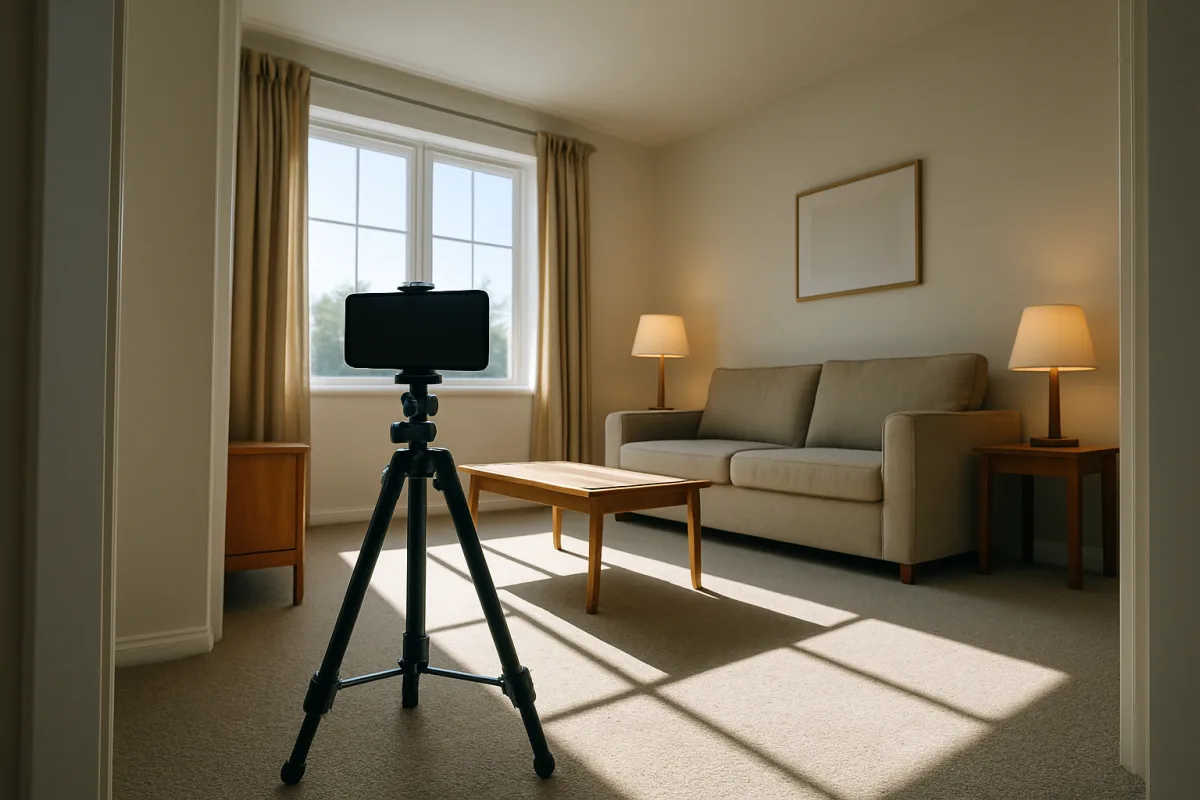
How to Prepare Your Home for a Virtual Tour
Choose the tour format before you prepare the rooms
Your first decision is what a buyer will actually experience. A 360-degree photo tour lets viewers rotate through fixed viewpoints, while a 3D model lets them move through a digital version of the home. A recorded walkthrough follows your chosen route. [5][18]
A live virtual showing, often held through Zoom or Google Meet, adds real-time questions and lets the presenter revisit a closet, view, or feature a buyer wants to see. It also requires a prepared host, reliable connection, and a home that can stay presentation-ready. [16]
We would choose the format based on the property and your selling plan. A 3D tour can suit a home with a layout buyers need to understand, while a narrated walkthrough can direct attention toward renovations, storage, or outdoor areas that may be missed in a self-guided tour. [18][21]
Do not set a rigid running time before you know the format. No published standard establishes an ideal virtual-tour length, and the right scope depends on the home’s size, complexity, and whether buyers explore it independently or join a live walkthrough.
Set the filming date and clear the home completely
Start preparing before the shoot day, not when the camera is at the door. Virtual tours allow buyers to pause and inspect details, so clutter on counters, overflowing shelves, cords, and everyday household items can become part of the listing. [2][3]
Depersonalize rooms by putting away family photographs, personal papers, medication, valuables, and highly specific collections. The goal is not to make your home empty. It is to leave enough furniture and purpose in each room for buyers to understand how it functions. [3][20]
Hide charging cables, television remotes, routers, visible electronics, pet supplies, and wastebaskets where possible. These items draw the eye in a panoramic image and can make a carefully staged room feel like a rushed snapshot. [2][12]
Plan for areas buyers often inspect closely: kitchen counters, bathroom vanities, laundry rooms, closets, the garage, and the entry. A virtual tour can expose crowded storage or a room without a clear purpose before a buyer decides whether to schedule an in-person visit. [1][3]
Repair the details a camera will preserve
Deep-clean the home after you declutter. Floors, windows, mirrors, appliances, fixtures, shower doors, and baseboards all show more clearly under bright lighting and high-resolution imagery than they may during a hurried in-person showing. [3][20]
Address visible flaws before filming, including peeling paint, damaged trim, loose hardware, stained surfaces, and obvious wall marks. You do not need to redesign the property for a tour, but leaving a small problem in frame can make buyers wonder what larger maintenance has been deferred. [1][3]
Walk through the house room by room with fresh eyes. Look for burned-out bulbs, uneven blinds, crooked artwork, open cabinet doors, cluttered refrigerator fronts, and empty soap dispensers. Those details are easy to overlook when you live there. [2][22]
Finish with bathrooms. Close toilet lids, remove personal toiletries, straighten towels, and check mirrors for smudges. A final pass is especially important for 360-degree imagery, where there may be no off-camera corner to hide items. [2][3]
Stage each room for its actual purpose
Give every room one clear use before filming. A spare room piled with boxes can read as lost space, while the same room arranged as an office, guest room, or exercise area helps a buyer understand its possible role. [3][8]
Keep your staging style consistent from room to room. A home can feel disjointed if one room is aggressively modern, another is heavily traditional, and a third has no visual direction at all. Consistency helps the listing feel intentional. [9][10]
Contemporary or transitional staging is a safe default when you want broad appeal. These approaches use cleaner lines and adaptable neutral elements, without tying the home too tightly to a single historical period or regional look. [9][10]
Match stronger style choices to the house when appropriate. Coastal styling can fit homes in Florida, California, and the Carolinas, while Scandinavian interiors can suit cooler climates; traditional staging fits colonial homes, and mid-century modern elements fit 1960s ranches. [7][9]
Use furniture and accessories to show scale, not to fill every blank area. Buyers need to see circulation paths, window placement, flooring, and storage access. A crowded room may look smaller online, particularly when viewers control their own view. [12]
Make the exterior part of the tour, not an afterthought
Buyers often begin with the exterior, whether they encounter a front image, a drone view, or the first frame of a walkthrough. Mow or tidy landscaping, clear the entry, remove bins, and deal with peeling paint or neglected-looking features. [1][2]
Check the path a visitor’s eye will follow toward the front door. Straighten outdoor furniture, remove hoses and scattered tools, and make sure house numbers and exterior lighting are presentable if they will be visible in the imagery. [2][20]
Do not use a polished interior tour to distract from an untended exterior. Overgrown landscaping and obvious exterior maintenance issues can undermine the impression created by clean, well-lit rooms inside. [1][12]
Light the home and plan camera positions
Open curtains and blinds where privacy permits, then turn on the lights throughout the home. Combining daylight with interior lighting helps rooms appear brighter and makes details easier to see in virtual-tour images. [2][3]
Test each room at the time of day you expect to film. Direct sun, dark corners, window glare, and mixed light sources can change how floors, walls, and views appear. Adjustable LED lighting can help improve image quality where existing light falls short. [3][6]
Avoid setting the camera in a corner or using an angle that exaggerates a narrow hallway or makes furniture look distorted. Poor angles can make rooms seem less functional, and buyers may notice the attempt to conceal an awkward area. [12][22]
Use a tripod or gimbal to stabilize footage for a recorded walkthrough. Shaky movement makes it harder to judge the home and can leave viewers feeling disoriented, especially if the camera moves quickly through small rooms or stairways. [6][22]
Select equipment that matches the tour you chose
A 360-degree camera can be enough for a self-guided panoramic tour. The Insta360 X4 records 8K video and has a stated 135-minute battery life, while the Insta360 X3 records 5.7K HDR video. [6]
The Ricoh Theta Z1 captures 23-megapixel still images and is compatible with Matterport, a platform used to create immersive 3D property models. That combination can suit sellers or agents who want buyers to navigate the home at their own pace. [6]
Matterport’s Pro3 is a specialized camera for 3D models, listed at about $4,000 for the equipment. That figure refers to the hardware, and no price for photography, editing, hosting, or listing distribution is stated. [6]
Traditional property photographs remain an alternative or complement to an immersive tour. Mirrorless cameras such as the Sony a6700 and Canon EOS R5 Mark II can be used for standard listing photography, with post-processing software such as Adobe Lightroom improving finished images. [6]
Test your upload connection before scheduling a live session or uploading large tour files. Upload speeds of roughly 10 to 20 Mbps are recommended for smoother uploads, though no universal standard applies to every platform or property file size. [3][17]
Decide what can be edited and disclose it clearly
Virtual staging can add furniture or decorative elements to an empty room, helping buyers picture its function. Use it carefully. It should not conceal a defect or alter permanent property features in a way that could mislead a buyer. [8][11]
Disclose virtually staged images clearly. California’s AB 723, effective January 1, 2026, requires a listing using virtually staged images to include links to the original, unaltered photographs. [13][14]
We would show both the staged and original versions whenever virtual staging is used, even where a particular rule does not require that presentation. Buyers can then assess the actual room, its dimensions, and its condition without guessing what was digitally changed. [13][14]
Do not digitally remove a permanent feature, change a view, hide damage, or imply renovations that have not occurred. Misleading edits can create legal and MLS-compliance problems and can disappoint buyers when they arrive for an in-person showing. [11][13]
Protect privacy before you record or stream
Take down documents, calendars, mail, computer screens, family photographs, security codes, and any item that reveals personal information. A virtual tour may be added to an MLS listing, property website, social platform, or email campaign and seen far beyond a scheduled buyer appointment. [16][17]
Be careful with cameras and audio. Recording in private areas without consent can violate surveillance laws, and audio recording requires consent from all parties in many states. Check local laws and real estate board rules before recording a live or recorded showing. [15][13]
Secure stored footage and limit access to accounts used for uploading or hosting tours. Publicly shared video can create privacy concerns if it reveals valuables, security equipment, children’s spaces, or details about your household routines. [15]
Run a final walkthrough and put the tour to work
Before filming, walk the route as if you were a buyer seeing the home for the first time. Open interior doors that should be seen, close toilet lids, switch on lights, check curtains, and confirm each staged room still looks orderly. [2][3]
If the tour is live, agree in advance on who answers questions and who operates the camera. Encourage viewers to ask for another look at specific rooms, storage, finishes, or outdoor spaces, since real-time interaction is a central advantage of a virtual showing. [16]
Add the finished tour to the MLS listing and property website, then distribute it through major real estate platforms, email campaigns, and social channels including Instagram, Facebook, and LinkedIn. A tour buyers cannot find will not expand your audience. [16][17]
Track view counts, interaction rates, and conversions to in-person visits after the listing goes live. Those signals can show whether the tour is attracting attention and whether it is helping qualified buyers move from online viewing to a closer look. [16][18]
Frequently Asked Questions
How do I prepare my home for a virtual tour?
Start by choosing the virtual tour format that best suits your home, such as a 360-degree tour, 3D model, recorded walkthrough, or live showing. Then declutter and depersonalize every room, removing personal items and visible clutter. Deep-clean all surfaces and repair any visible flaws like peeling paint or damaged trim. Finally, optimize lighting by turning on all interior lights and opening curtains, and test camera positions before filming.
What should I remove before a virtual home tour?
Remove personal photographs, papers, medication, valuables, and highly specific collections to depersonalize the space. Hide charging cables, remotes, routers, visible electronics, pet supplies, and wastebaskets. Clear countertops, shelves, and storage areas so buyers can easily see the purpose and space in each room.
How do I stage my home for a virtual tour?
Stage your home by leaving enough furniture and decor to clearly show each room’s function without overcrowding. Use a consistent style throughout the home that fits the property’s character, such as Coastal, Scandinavian, Traditional, or Mid-Century Modern. Avoid misleading virtual staging unless you clearly disclose it, especially following legal requirements like those in California.
What technical steps are needed before a virtual home tour?
Ensure all interior lights are on and curtains are open to brighten rooms. Test camera placement to avoid corner-level views that can distort room size. Use stabilization tools like tripods or gimbals to avoid shaky footage. Check your internet connection for live tours and confirm all equipment is functioning properly before filming or streaming.
How we researched this
This article was assembled from 22 cited references.
Nothing here is based on hands-on testing. Where a figure or finding appears, it belongs to the source cited beside it, and the writing says so rather than implying otherwise. Every source is listed below so you can check it.
Sources
- 20 Things Home Buyers Will Hate About Your House
- How to Prepare a Home for a Drone and 360° Virtual Tour Shoot, US Atlas Visual
- How to Prepare Your Home for a Virtual Tour in 2026 | Acresh
- How to Prepare Your Home for a Virtual Tour in 2026 | Acresh
- How To Create A Virtual Tour For Real Estate, Forbes Advisor
- Best 360-Degree Cameras for Real Estate Virtual Tours (October 2026) Reviewed
- Coastal Virtual Staging: Examples & When to Use It | StageMLS
- Virtual Home Staging: The Complete Guide for Real Estate (2026)
- Home Staging Help: 18 Interior Design Styles Defined | The CE Shop
- How to Choose the Right Virtual Staging Style for Your Listing | roOomy Blog
- Virtual Staging: The Complete Guide for Real Estate (2026), Easy Room AI
- The 8 mistakes to avoid when designing a virtual home tour | Inman Real Estate News
- Virtual Staging Disclosure Rules: MLS & Legal Compliance (2026) | Stager Go
- Is Virtual Staging Allowed on Zillow and the MLS? 2026 Disclosure Rules
- The hidden legal dangers of your video doorbell and security cameras - how to protect yourself without getting caught out
- Virtual Showings How Real Estate Agents Can Showcase Properties Remotely
- How to Make a Virtual Tour for Real Estate (2026) | HeyGen
- 3D Virtual Tours for Real Estate: The 2026 Agent Guide | VirtualTourEasy
- FAQ, Virtual Tour Planning and Best Practices, Visiting Media Support
- Preparing Your Home for a Virtual Tour: Tips for Sellers - Josh Ha...
- "Virtual Tour Technology: 3D Tours, Video Walkthroughs & Immersive Property Marketing - 2026 Guide"
- 5 Mistakes Sellers Make When Filming a Virtual Tour - REMAX Blog
Related Articles
How to Stage a Home for Virtual Tours: Essential Tips
Learn how to stage a home for virtual tours with expert tips on lighting, decluttering, photography, and room prioritization for better online showings.
Prepare for a Home Showing During Winter: Essential Tips
Learn how to prepare for a home showing during winter with tips on snow removal, thermostat settings, and managing wet boots for a safe, inviting visit.
Prepare Your Home for Showings: Essential Steps for Sellers
Learn how to prepare your home for showings with tips on repairs, staging, decluttering, and timing to attract buyers effectively.

How to Prepare for a Home Appraisal: Essential Tips
Learn how to prepare for a home appraisal with tips on repairs, pricing, and documentation to help maximize your home's value.